



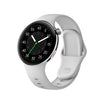


Battery life is one of the most important aspects of the smartwatch experience. With a few simple adjustments, you can significantly extend the time between charges.
Below are practical tips to help you get the most out of your smartwatch battery.
Quick Battery-Saving Tips
1. Turn Off Always-On Display
Why it matters:
Always-On Display keeps the screen active, which consumes more power.
How to do it:
Settings → Display → Always-On → Off
Impact:
Saves approximately 20–30% battery per day
2. Reduce Screen Brightness
Why it matters:
A brighter screen requires more energy.
How to do it:
Enable auto-brightness or manually lower brightness.
Impact:
Saves around 10–20% battery
3. Limit Notifications
Why it matters:
Each notification activates the screen and vibration motor.
How to do it:
Settings → Notifications → Filter or disable non-essential alerts
Impact:
Saves 5–15% battery
4. Use Sleep Mode
Why it matters:
Prevents unnecessary activity during sleep hours.
How to do it:
Settings → Sleep Mode → Schedule
Impact:
Saves 5–10% overnight battery usage
5. Disable Unused Features
Turn off features you don’t actively use:
- NFC (if not using payments)
- Bluetooth (when not needed)
- GPS (outside workouts)
- WiFi (when not syncing)
6. Choose Simple Watch Faces
Why it matters:
Animated and complex watch faces consume more power.
How to do it:
Select a minimal or static watch face
Impact:
Saves 5–15% battery
7. Keep Software Updated
Why it matters:
Updates often include performance and battery optimizations.
How to do it:
Settings → Software Update
Impact:
Improves overall efficiency and stability
8. Adjust Heart Rate Monitoring
Why it matters:
Continuous monitoring increases power consumption.
How to do it:
Switch from continuous tracking to interval-based monitoring
Impact:
Saves 10–20% battery
Charging Best Practices
To maintain long-term battery health:
- Keep charge between 20%–80% when possible
- Use the original charger
- Avoid extreme heat or cold environments
- Do not leave the watch fully charged overnight for long periods
Expected Battery Life
With optimized settings:
- Typical usage: 5–7 days
- Power-saving mode: 10–15 days
- Always-On Display enabled: 2–3 days
Troubleshooting Battery Drain Issues
If your battery drains faster than expected:
- Check for apps running in the background
- Restart or reset the device if needed
- Ensure the latest software version is installed
Conclusion
Small adjustments can make a big difference in battery performance. If you’re looking for the quickest improvement, start by disabling Always-On Display and reducing screen brightness—you’ll likely notice the change immediately.

Leave a comment
This site is protected by hCaptcha and the hCaptcha Privacy Policy and Terms of Service apply.