



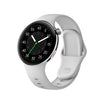


Battery life is one of the most important aspects of the smartwatch experience. With a few simple adjustments, you can significantly extend the time between charges.
Below are practical tips to help you get the most out of your smartwatch battery.
Quick Battery-Saving Tips
1. Turn Off Always-On Display
Why it matters:
Always-On Display keeps the screen active, which consumes more power.
How to do it:
Settings → Display → Always-On → Off
Impact:
Saves approximately 20–30% battery per day
2. Reduce Screen Brightness
Why it matters:
A brighter screen requires more energy.
How to do it:
Enable auto-brightness or manually lower brightness.
Impact:
Saves around 10–20% battery
3. Limit Notifications
Why it matters:
Each notification activates the screen and vibration motor.
How to do it:
Settings → Notifications → Filter or disable non-essential alerts
Impact:
Saves 5–15% battery
4. Use Sleep Mode
Why it matters:
Prevents unnecessary activity during sleep hours.
How to do it:
Settings → Sleep Mode → Schedule
Impact:
Saves 5–10% overnight battery usage
5. Disable Unused Features
Turn off features you don’t actively use:
- NFC (if not using payments)
- Bluetooth (when not needed)
- GPS (outside workouts)
- WiFi (when not syncing)
6. Choose Simple Watch Faces
Why it matters:
Animated and complex watch faces consume more power.
How to do it:
Select a minimal or static watch face
Impact:
Saves 5–15% battery
7. Keep Software Updated
Why it matters:
Updates often include performance and battery optimizations.
How to do it:
Settings → Software Update
Impact:
Improves overall efficiency and stability
8. Adjust Heart Rate Monitoring
Why it matters:
Continuous monitoring increases power consumption.
How to do it:
Switch from continuous tracking to interval-based monitoring
Impact:
Saves 10–20% battery
Charging Best Practices
To maintain long-term battery health:
- Keep charge between 20%–80% when possible
- Use the original charger
- Avoid extreme heat or cold environments
- Do not leave the watch fully charged overnight for long periods
Expected Battery Life
With optimized settings:
- Typical usage: 5–7 days
- Power-saving mode: 10–15 days
- Always-On Display enabled: 2–3 days
Troubleshooting Battery Drain Issues
If your battery drains faster than expected:
- Check for apps running in the background
- Restart or reset the device if needed
- Ensure the latest software version is installed
Conclusion
Small adjustments can make a big difference in battery performance. If you’re looking for the quickest improvement, start by disabling Always-On Display and reducing screen brightness—you’ll likely notice the change immediately.

Laat een reactie achter
Deze site wordt beschermd door hCaptcha en het privacybeleid en de servicevoorwaarden van hCaptcha zijn van toepassing.